Terminating or Restarting FastX

You can also terminate – or restart – a session from the “My Sessions” tab. To terminate, click the x in the upper right of the session, or use the menu.

To restart instead of terminating, click the arrow for “run”.
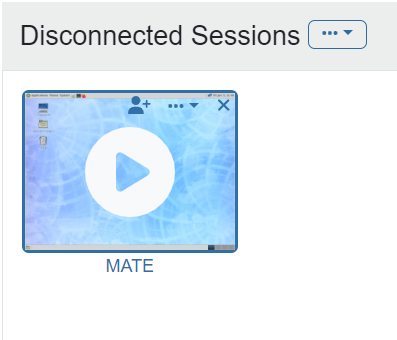
FastX interface displaying a 'Disconnected Sessions' window. A session labeled 'MATE' is shown with a large play button icon to restart the session and an 'X' icon in the upper right corner to terminate it.
Terminating or restarting a session.
Previous
Next
RC Logo RC Logo © 2025 The Rector and Visitors of the University of Virginia