Transferring with Graphical Clients: macOS and Linux
Filezilla
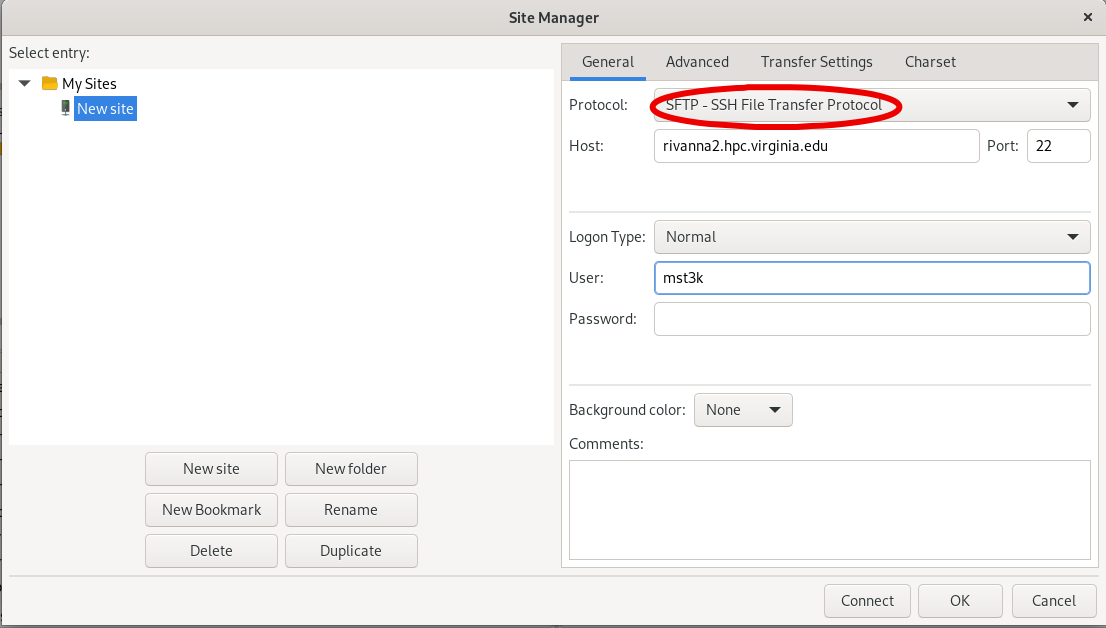
This illustration is from a Linux computer. macOS is similar.
First click the Site Manager icon in the upper left.

Select New Site. Rename it. Fill in the text boxes and dropdown. Be sure to select SFTP in the Protocol box. As for MobaXTerm, we recommend using a specific host name such login.hpc.virginia.edu. Click OK to save and Connect to initiate the connection. A multiple-pane window similar to that of MobaXTerm will open.